
Help · Mod sets
Sharing and opening mod sets
Watch the video for this topic.
Share a mod set when you want someone else to reproduce it: your co-op pack, or the mods a server runs. Sharing sends the list of mods and where to get them, never the mod files.
Sharing a set
In Mod sets, then My sets, choose Share… from a set’s ⋯ menu, or click Share my active mods to share what you have on now. The Share dialog offers three ways:
- Link: friends with Silo open it and see what they have and what they need. Silo saves the list to your GitHub account as an unlisted page. It isn’t listed or searchable, but anyone who has the link can see the list, so send it only to the people you mean to. Click Create link, then Copy link.
- File: a
.silofile you can send any way you like. No account needed. Click Save file…. - Multiplayer check file: lets friends check they match your server before joining. See Playing multiplayer.
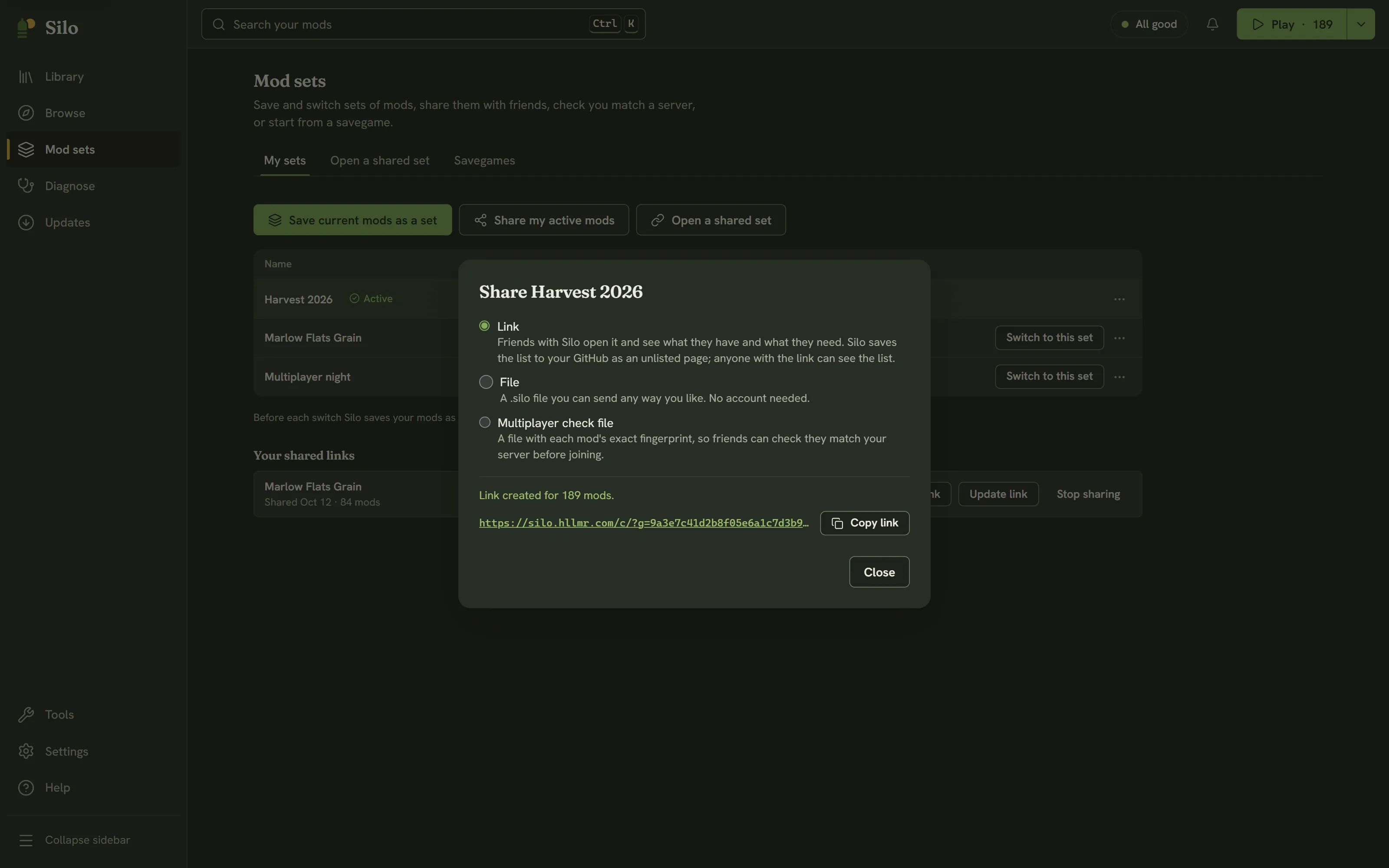
A link needs GitHub connected with sharing allowed. If it isn’t, the dialog offers Connect GitHub, which takes you to Settings, then Accounts, where Enable sharing links grants that permission (see Settings and accounts). Files need nothing.
Only mods packed as .zip files can go on a link; the dialog says how many in unpacked folders are left out. Mods the set names that aren’t in your library are left out too.
Your shared links
Once GitHub can hold links, My sets lists Your shared links with the date each was shared:
- Copy link copies it again.
- Update link points it at your current active mods. The link stays the same, so friends who have it see the new list.
- Stop sharing removes it from your GitHub, and the link stops working. This can’t be undone, but you can share the set again with a new link.
Older versions of Silo shared links as public silo-… repositories on your GitHub. Those still appear here with Copy link and Update link, but with Stop sharing on GitHub instead: Silo won’t delete a repository, so this opens it on GitHub, where you can delete it yourself. New links are always unlisted pages.
The shared set page
A link looks like https://silo.hllmr.com/c/?g=…. Opened in a browser, it shows the set’s name, who shared it and its mod list, with Open in Silo and Get Silo first. The page reads the list from GitHub in your browser, and no mod files pass through it.
Opening a shared set
In Mod sets, choose Open a shared set. Paste a link and click Open, or click Choose a file… for a .silo file. Open in Silo on the shared set page lands here too.
Opening only shows what’s in the set. Nothing is downloaded, saved or switched until you choose to. The preview sorts the mods into:
- Silo can download: GitHub releases Silo can install for you.
- Get from ModHub: ModHub mods you download yourself, with Find in Browse.
- Different version than yours: your version next to the set’s.
- Couldn’t find: mods Silo’s catalog doesn’t know, with Find in Browse.
- Already in your library.
A Heads-up block lists conflicts among the set’s mods you already have, and required mods that neither the set nor your library provides.
Then choose:
- Download N and save as a set downloads what Silo can into your mods folder, the same guarded way a Browse install does, then saves the whole list as a mod set.
- Save as a set without downloading saves the list only. When there’s nothing to download, the button is just Save as a set.
Your active mods don’t change either way. Click Switch to it when you’re ready, which shows the usual switch preview and offers Undo afterwards. Opening a set never removes or replaces a mod you already have. If the set changed after you previewed it, Silo stops and offers Preview again.
Watch it

Videos play from YouTube, which loads only when you press play.
Written for Silo 1.0. Something out of date? Tell us.