
Help · Settings and help
Troubleshooting and FAQ
When something goes wrong, Silo says what happened and what to do, and every error has Copy details for a bug report. Recent errors are also listed under the Activity bell in the header.
Common messages
- “Silo couldn’t move … because another program is using it.” Close Farming Simulator 25 or the program that has the file open, then Try again.
- “Close Farming Simulator 25 first, then try again.” Silo doesn’t change mod files while the game is using them.
- “Silo is finishing another change to your library. Try again in a moment.” One change runs at a time. The Activity bell shows what’s running.
- “Finish or cancel the library move first.” A library archive move is running or paused. Resume or cancel it from the notice at the top. See Moving your library archive.
- “Your library archive isn’t available. Connect the drive, or choose another folder.” The drive holding your parked mods isn’t connected. Nothing is deleted.
- “Windows didn’t let Silo change this file.” The file is in a protected folder. Choose a mods folder in your Documents.
- “There isn’t enough space on the drive for this.” Free some space, then try again.
- “Silo can’t reach the internet right now.” or “The download stopped responding.” Browse and Updates need the internet. Your library still works.
- “GitHub is limiting requests for a while.” Connecting your GitHub account in Settings, then Accounts raises the limit.
- “GitHub needs you to sign in again.” Reconnect in Settings, then Accounts.
- “That file isn’t a Farming Simulator mod.” The file isn’t a mod the game can load.
- “This library was used by a newer Silo.” Install the latest Silo to open it.
For crashes and mods that won’t load, start with Last run and Problems in Diagnose.
Windows SmartScreen warns on first launch
Silo’s Windows installers are signed by Silo’s developer, David Hellmer, so the prompt names that publisher instead of “unknown”. SmartScreen builds reputation per release, so a brand-new build may still prompt: click More info, then Run anyway. The macOS builds are signed with an Apple Developer ID and notarized by Apple, so macOS opens them without a warning. If an older Mac build (1.0.1 or earlier) is blocked, open Silo once, then go to System Settings, then Privacy & Security, and click Open Anyway. Linux builds aren’t signed with an OS certificate. You can verify the signature, checksum and build provenance yourself.
Do I need Developer Mode or administrator rights?
Almost never. Packed .zip mods are linked into your mods folder on the same drive with no admin rights and no Developer Mode. The one exception is a library archive on another drive: links across drives need Developer Mode on Windows, so without it Silo copies active mods instead. That works, it just uses more disk.
Is my library safe? Can I undo this?
Yes. Parking never deletes a mod, and switching mods on or off shows Undo right away. Organizing shows every move before anything happens, and Settings, then Maintenance, then Undo organizing puts every mod back into your mods folder. Mod updates keep the previous version in backups. Silo never deletes a file it doesn’t recognize, never removes the only copy of a mod, and leaves alone a build you swapped into the mods folder yourself.
Where does Silo keep its data?
Your mods stay in your mods folder or your library archive. Silo’s own database (silo.db: the library index and your notes, tags and ratings) lives in the app’s data folder for your user. A GitHub token goes into your computer’s credential store (Windows Credential Manager, macOS Keychain, Linux Secret Service). On Linux without a keyring, Silo keeps it in its own database and warns you first.
Why does a mod show no Verified build badge?
Silo can only verify a build it has a published copy of to compare against. No badge isn’t a warning about the mod. See how Silo checks a build. This is a provenance check, not a virus scan.
Where to ask
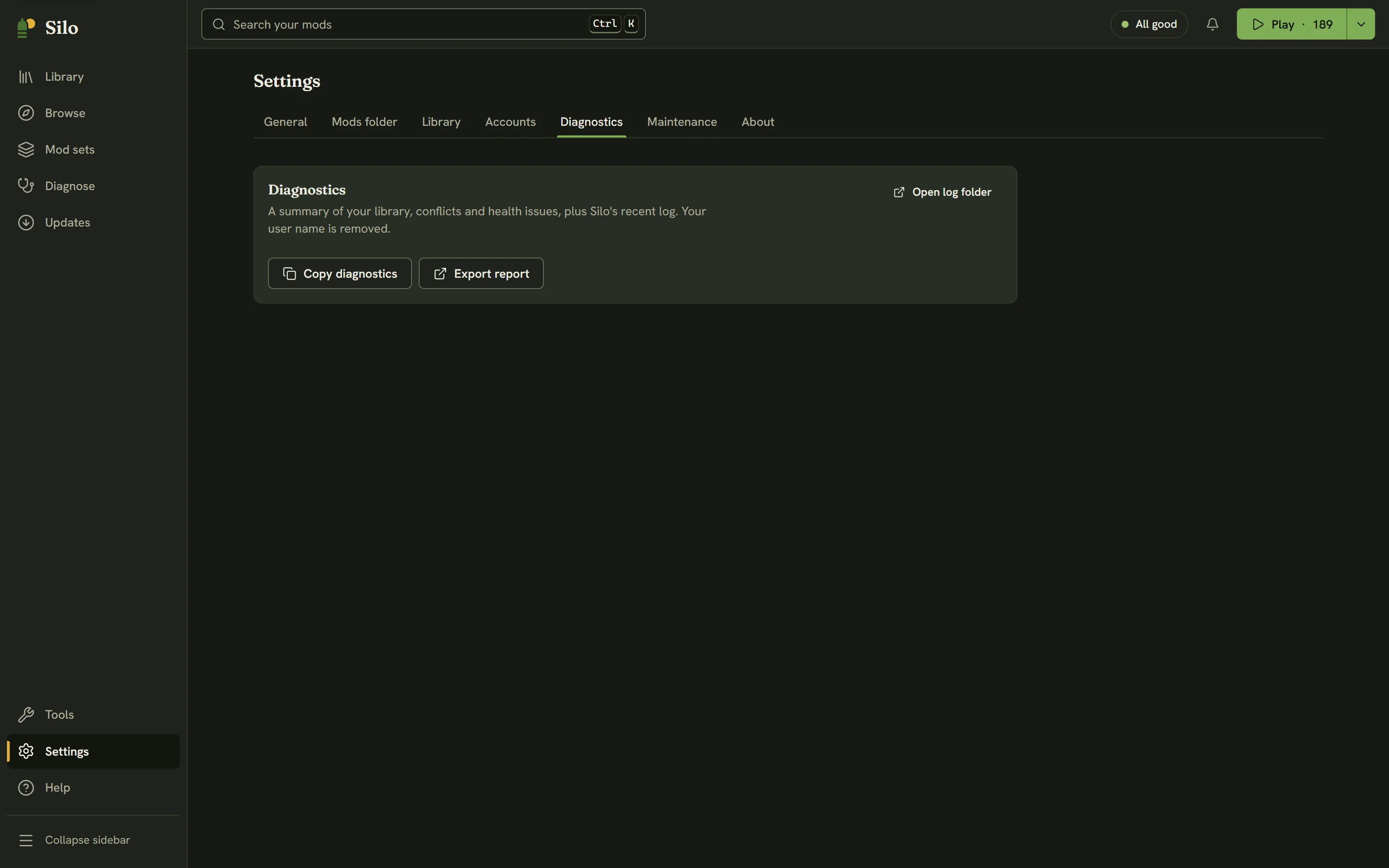
- Copy your diagnostics: Settings, then Diagnostics, then Copy diagnostics. It’s a summary of your library and Silo’s recent log, with your user name removed.
- Ask on the Silo Discord or in GitHub Discussions. Include your Silo version (Settings, then About), the diagnostics, and for a crash the game’s
log.txt. - For a bug, Help, then Report a problem copies the diagnostics and opens the bug report form on GitHub, ready to paste.
Written for Silo 1.0. Something out of date? Tell us.