
Help · Mod sets
Savegames
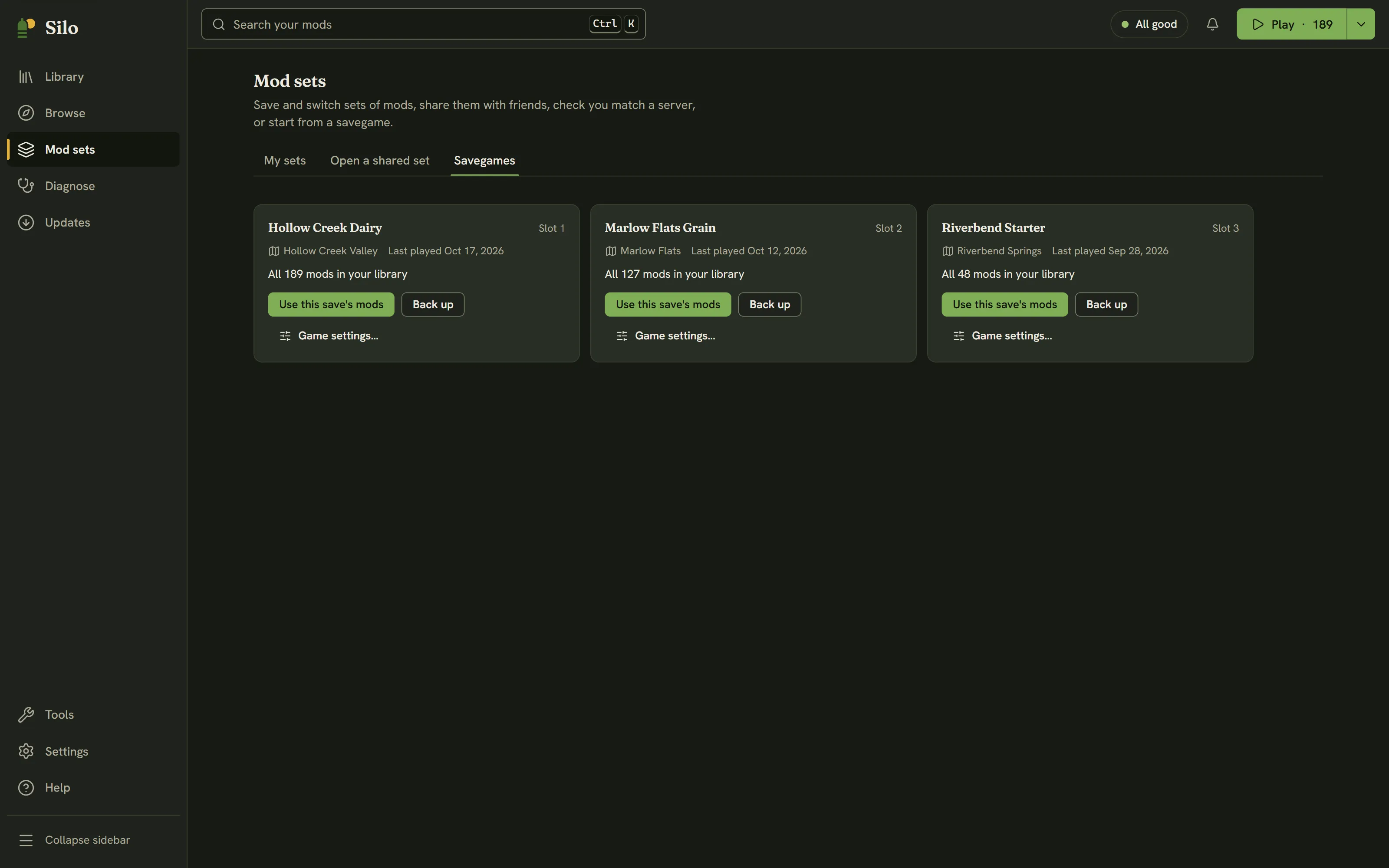
Mod sets, then Savegames shows one card per career save in your Farming Simulator 25 user folder: its name and slot, the map, when it was last played, and how many of its mods are in your library, such as “41 of 44 mods in your library. 3 missing”. DLC doesn’t count, only mods you install.
Using a save’s mods
Use this save’s mods switches your active mods to the mods that save used. Silo first shows the same preview as switching to a mod set: how many mods turn on, how many are parked, and the list of changes. Mods the save used that aren’t in your library are left out. Click Switch to go ahead.
Silo saves those mods as a set named after the save, so you can switch back to them from My sets later. It also saves the mods you had on as an automatic “Before” set, and a toast offers Undo. See Mod sets.
The button is off until Silo has read your library, and when none of the save’s mods are in it.
Missing mods
When a save uses mods you don’t have, Show missing mods lists them, each with Find in Browse. The Play menu (the arrow beside Play) also names saves that use mods you don’t have, and choosing one opens this tab.
Backing up a save
Back up copies the whole savegame folder into a SiloBackups folder in your Farming Simulator 25 user folder, named after the save’s folder and the time of the backup. The save itself isn’t changed. To restore one, close the game, then put the backup folder back in place of the save’s folder under its original name (for example savegame1).
Back up waits while another change to your library is running, and says why.
Game settings
Game settings… opens the save’s careerSavegame.xml as a short form, without launching the game. It covers Save name, Economic difficulty, Growth, Fuel usage, Dirt interval, Time scale and Autosave interval, plus switches for Crop destruction, Plowing required, Stones, Weeds, Lime required, Snow, Traffic, and whether helpers buy fuel, seeds and fertilizer. The Casual and Realistic presets fill several fields at once, and you can still change any of them afterwards.
Save changes stays off until you change something, and writes only the values you changed. Close or Esc leaves without saving. Silo won’t save while Farming Simulator 25 is running, because the game saves its own settings when it exits and the change would be lost.
Before every save, Silo backs up the file beside it. It keeps the original as careerSavegame.xml.silo-original.bak, which is never replaced, and the three versions before your latest edit as .bak, .bak.2 and .bak.3. If the backup can’t be made, nothing is written. To go back, close the game and copy the backup you want over careerSavegame.xml. For a full copy of the career before you experiment, use Back up first.
Graphics settings
For the game’s graphics, open Tools, then Graphics settings, and click Edit game.xml. It works the same way, with fields such as Performance class, Shadow map size and FSR upscaling, and Performance, Balanced and Quality presets. Changes take effect the next time you launch the game.
Written for Silo 1.0. Something out of date? Tell us.