
Help · Your library
Choosing your mods folder
By default FS25 reads Documents\My Games\FarmingSimulator2025\mods, but the game can be set to read another folder (the mods directory override in its gameSettings.xml). Silo follows that setting on its own. When it starts using a custom folder the game is set to, it tells you once: “Silo now uses the mods folder FS25 is set to”. You can also choose any folder yourself, for example one on a bigger drive.
Where to find it
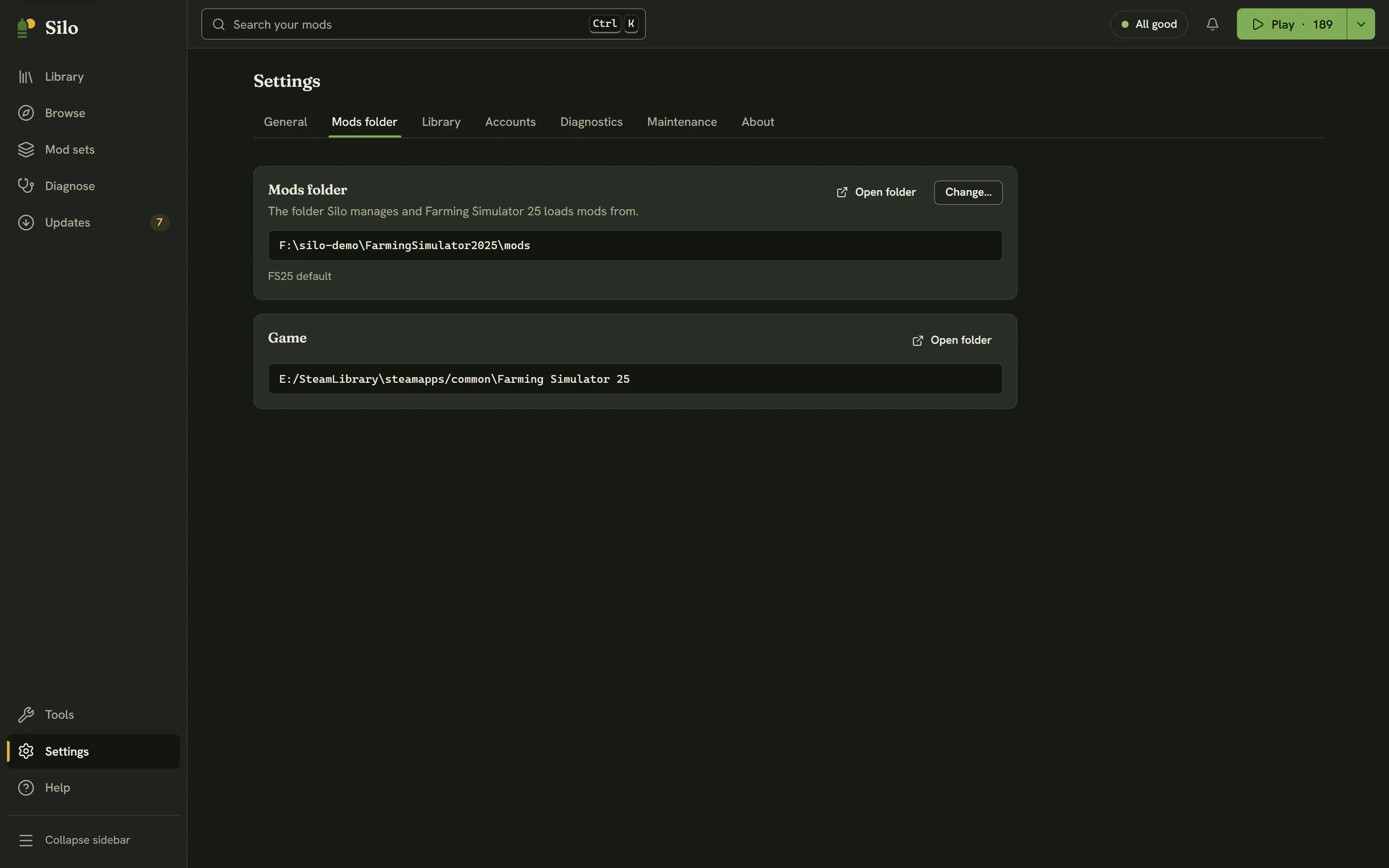
Open Settings, then Mods folder. The Mods folder card shows the folder Silo uses and where that choice came from: FS25 default, Following FS25’s setting or Chosen in Silo, with “not available” added when the folder can’t be reached. Open folder shows it in your file manager.
The Game card below it shows where Farming Simulator 25 is installed. If Silo can’t find the game, the Play button is hidden.
Changing the folder
- Click Change… and pick a folder. If it holds no mods yet, Silo asks first, and Use this folder goes ahead. Nothing is moved.
- Silo switches to the folder and reads it. If the game still reads a different folder, Silo asks Point Farming Simulator at this folder too?
- Update FS25’s setting writes the new folder into FS25’s
gameSettings.xmland keeps a backup of it (gameSettings.xml.bak), so you can switch back later. Close FS25 first: the game rewrites that file when it exits. - Only in Silo leaves the game alone. Use it when you only want to look at or tidy another folder.
- Update FS25’s setting writes the new folder into FS25’s
Once you’ve chosen a folder in Silo, Use the game’s folder on the same card goes back to the one FS25 reads.
Changing folders waits for a few things first: a scan or another change has to finish, a library archive move has to finish or be cancelled, and an unfinished Find the problem mod has to be finished or cancelled, because it belongs to the folder it started in.
When the game reads a different folder
If Silo and the game end up on different folders, a notice says “FS25 is reading a different mods folder. Mods you activate here won’t load in-game.” Choose one:
- Point FS25 here updates the game’s setting to Silo’s folder, with the same backup.
- Switch Silo to the game’s folder goes back to the folder FS25 reads.
Several folders, each with its own library
Silo remembers each folder’s library separately. Switching away and back brings that folder’s library back exactly as you left it. Folders you’ve used before are listed under Other folders Silo knows, with how many mods each holds. Click Switch next to one to use it.
If the folder goes missing
If a folder you chose can’t be found (an unplugged drive, a renamed folder), Silo reads nothing and shows “Your mods folder isn’t available”, with Try again, Choose another and Use the game’s folder. If FS25 simply hasn’t created its mods folder yet, you’ll see Create it and Choose a folder instead.
If a folder overlaps one Silo already manages in another way, Silo won’t change files in it and its notice says why, with Choose another.
Cloud-synced folders
If your mods folder is synced by a cloud service (OneDrive, Google Drive or Proton Drive), Silo copies active mods instead of linking them. It works, but uses more disk. Excluding …\My Games\FarmingSimulator2025 from your cloud sync lets Silo link them again. See Your library.
On Linux, FS25 runs through Steam Proton and stores its setting as a Windows-style path. Silo translates it to the real folder through the Proton prefix. If it can’t, the Mods folder card says so: choose the folder with Change….
Written for Silo 1.0. Something out of date? Tell us.