
Help · Mod sets
Playing multiplayer
Everyone in a Farming Simulator 25 session needs the same mods, at the same versions, with the same files. A mismatch is a common reason a join fails, and finding the one mod that differs can take a while. Silo turns it into a checklist: the host shares a Multiplayer check file, and each player checks their active mods against it.
Making or checking the file never changes your mods. Only the buttons in the fix list do, and each one says what it does.
Host: share the check file
- Open Mod sets, then My sets.
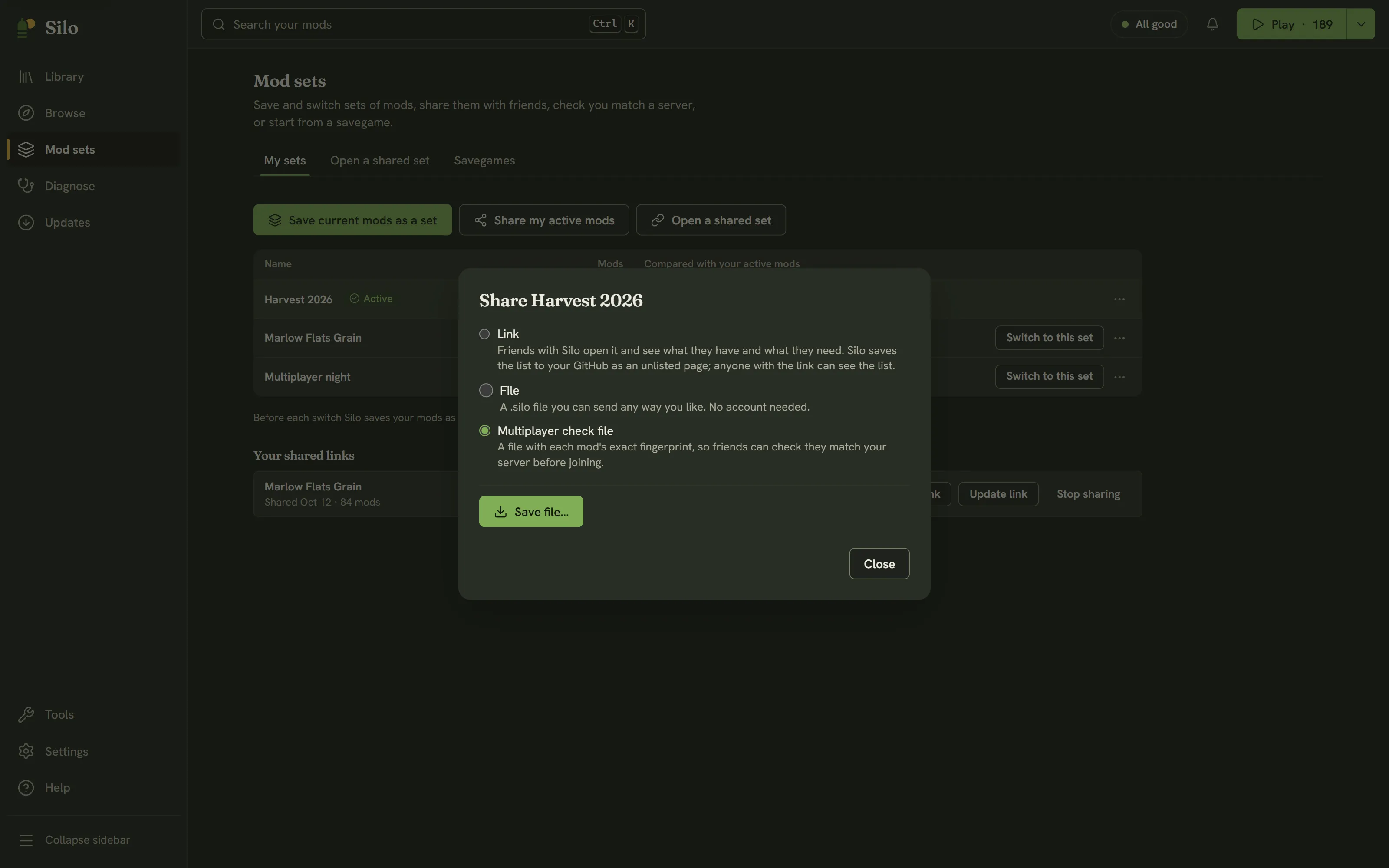
- Click Share my active mods, or choose Share… from the ⋯ menu of the set your server runs.
- Choose Multiplayer check file and click Save file…. The file name ends in
.silomp.
Silo fingerprints each mod file and says how many it saved. Send the file to your players any way you like: Discord, email or a shared folder. Save a new one whenever the server’s mods change.
Player: check your mods
- Open Mod sets, then Open a shared set.
- Click Choose a file… and pick the host’s
.silompfile. - Click Check my mods.
Silo compares the file with your active mods: names, versions and each file’s fingerprint. Then it says either “You match. You’re ready to join.” or that your mods don’t match yet, with a fix list:
- The server has these and your active mods don’t: Turn on for a mod you have parked, or Find in Browse for one you don’t have.
- Different version or file than the server: shows your version and the server’s, or “a different file” when the versions agree but the files don’t. Get the server’s build; Find in Browse is a place to start.
- Active for you but not on the server: Park it while you play on this server. Parking never deletes it.
Work through the list, then click Check again.
Once you match, it’s worth saving your active mods as a set, so you can switch back to the server’s mods next time in one step. See Mod sets.
What the check can and can’t tell
The comparison is byte for byte. A mod repacked with the same contents still reads as a different file, so Silo errs toward “get the server’s copy”, which is the safe direction for multiplayer.
Mods in unpacked folders can’t be fingerprinted. When the host’s mods include any, the Share dialog says so, and players see them as not matching. For a clean check, use packed .zip mods on both sides.
Only active mods are compared, so a player’s parked mods never count against them.
Both sides need Silo. The host’s file holds names, versions and fingerprints, never the mods themselves.
Written for Silo 1.0. Something out of date? Tell us.